Tensorflow Tutorial
Install python and tensorflow
-
Input the flowing command to install python:
sudo apt-get install python-dev python-pip
-
Input the flowing command to install tensorflow:
export TF_BINARY_URL=https://storage.googleapis.com/tensorflow/linux/cpu/tensorflow-1.3.0-cp27-none-linux_x86_64.whl
sudo pip install $TF_BINARY_URL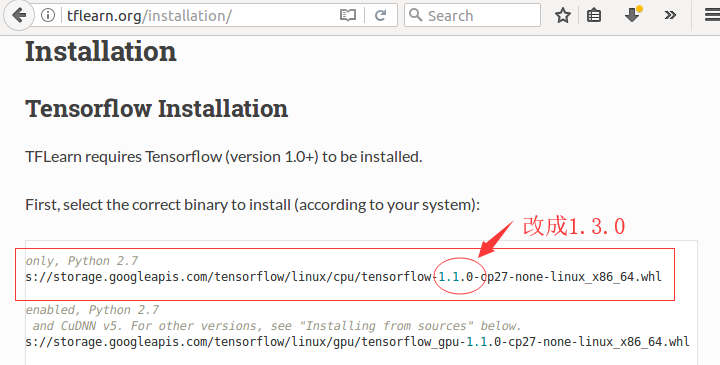

-
Check whether the tensorflow is installed successfully:
python
import tensorflow as tf
print tf.__version__
Make some configuration for the vim
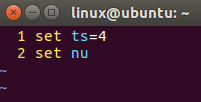
vim ~/.vimrc
set ts=4
set nu

Examples
First example
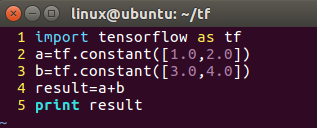
import tensorflow as tf

a=tf.constant([1.0,2.0])
b=tf.constant([3.0,4.0])
result=a+b
print result

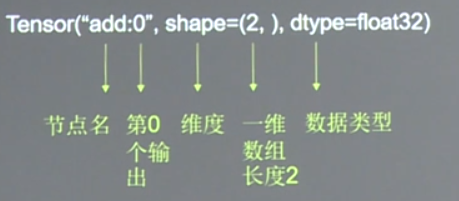
Graph: Build the calculation process of the neural network, but do not perform the calculation.
Second example
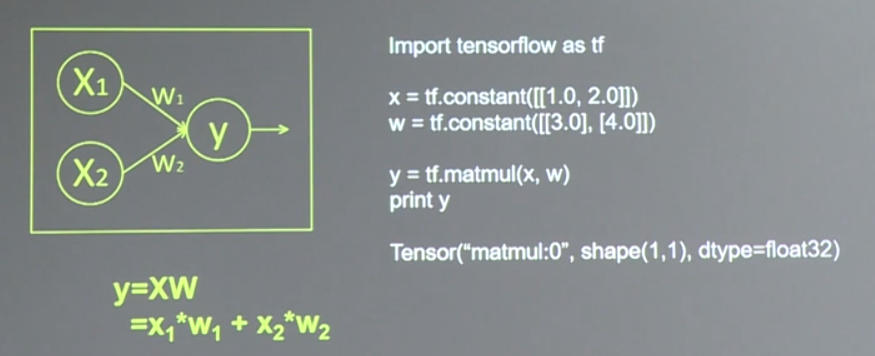
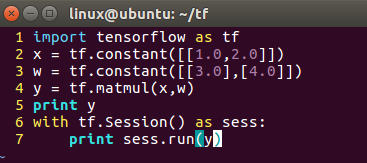
import tensorflow as tf

x = tf.constant([[1.0,2.0]])
w = tf.constant([[3.0],[4.0]])
y = tf.matmul(x,w)
print y
with tf.Session() as sess:
    print sess.run(y)
A class for running TensorFlow operations.
A Session object encapsulates the environment in which Operation objects are executed, and Tensor objects are evaluated.
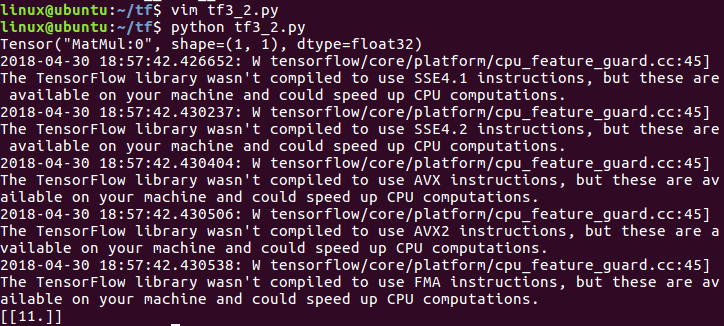
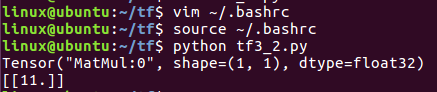
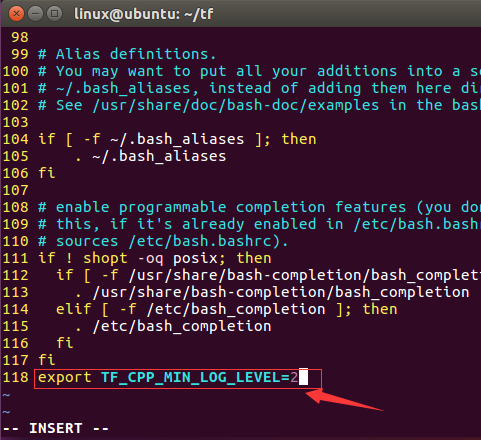
Now, there are many warnings, and we can remove them by modifying the .bashrc file. First, we need to do is adding export TF_CPP_MIN_LOG_LEVEL=2 to the end of this file. Then, we should input source ~/.bashrc, and execute this command to make the change that we just made effective. Finally, after we run tf3_2.py again, we can find that those warnings are disappearing now.